What is CloudPanel?
CloudPanel is a free software to configure and manage a server with an obsessive focus on simplicity. CloudPanel is a free hosting control panel used to run static websites, PHP, Node.js and, Python applications.
Prerequisites
To install CloudPanel on Debian VPS server, the following requirements must be met:
- Debian 11 or Debian 12 VPS Server with root-level access
- Minimum 1 CPU Core
- Minimum 2 GB RAM
- Minimum 10 GB Disk
Steps to Install CloudPanel on Debian VPS Server
To install CloudPanel on Debian VPS server, follow the steps provided:
- Login to the server as root user via SSH and run the following command:
apt update && apt -y upgrade && apt -y install curl wget sudo
- Run the installer using the following command:
curl -sS https://installer.cloudpanel.io/ce/v2/install.sh -o install.sh; \
echo "3c30168958264ced81ca9b58dbc55b4d28585d9066b9da085f2b130ae91c50f6 install.sh" | \
sha256sum -c && sudo bash install.sh
- Open your web browser to the following address:
https://server-ip:8443 - Create Admin user by filling in the fields provided:
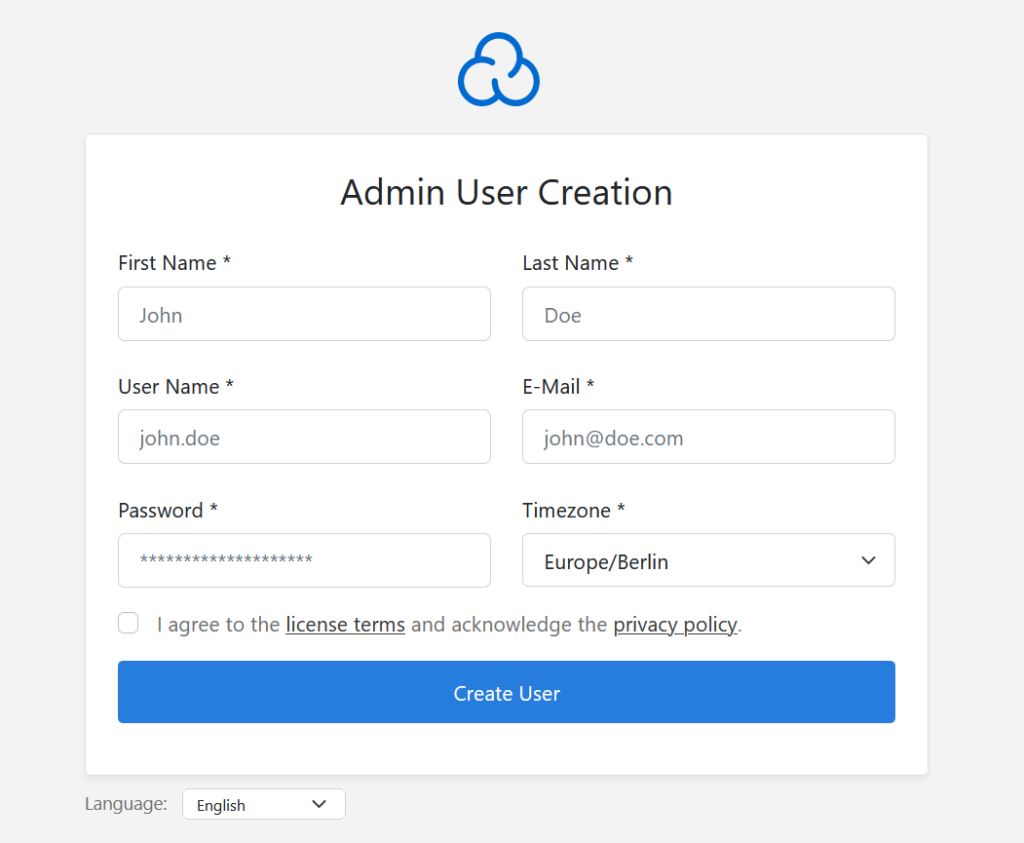
- You can now login with the Admin user details created in Step 4 (by visiting the URL from Step 3).

Conclusion
You now know how to install CloudPanel on Debian VPS Server.