Here’s a detailed how-to guide to install CoreControl on Debian VPS.
What is CoreControl?
CoreControl is a web-based server management tool that gives you a GUI for handling Docker containers, server stats, logs, and other system utilities—all from a browser.
✅ Prerequisites
Before you begin, ensure you have the following:
- A Debian VPS (Debian 11 or later recommended)
- Root or sudo access
- A registered domain or IP (optional, but useful)
- SSH access to the VPS

Compare Debian VPS Plans
How to Install CoreControl on Debian VPS
To install CoreControl on Debian VPS, follow the steps below:
-
⚙️ Update Your System
sudo apt update && sudo apt upgrade -y
This ensures all your system packages are up to date.
-
🐳 Install Docker & Docker Compose
-
Install Docker
curl -fsSL https://get.docker.com -o get-docker.sh
sudo sh get-docker.sh
-
Add your user to the Docker group
sudo usermod -aG docker $USER
newgrp docker
-
Install Docker Compose (plugin version)
sudo apt install docker-compose-plugin -y
Test Docker installation:
docker version
docker compose version
-
-
📁 Set Up Directory Structure
Create a directory for CoreControl:
mkdir -p ~/corecontrol
cd ~/corecontrol
-
🧰 Create
docker-compose.ymlCreate and open the file:
nano docker-compose.yml
Paste the following (replace ports, paths, or env vars as needed):
See Also: 🚀 How to Install and Run Rocket.Chat on Debian VPS
services:
  web:
    image: haedlessdev/corecontrol:latest
    ports:
      - "3000:3000"
    environment:
      JWT_SECRET: RANDOM_SECRET # Replace with a secure random string
      DATABASE_URL: "postgresql://postgres:postgres@db:5432/postgres"

  agent:
    image: haedlessdev/corecontrol-agent:latest
    environment:
      DATABASE_URL: "postgresql://postgres:postgres@db:5432/postgres"
    depends_on:
      db:
        condition: service_healthy

  db:
    image: postgres:17
    restart: always
    environment:
      POSTGRES_USER: postgres
      POSTGRES_PASSWORD: postgres
      POSTGRES_DB: postgres
    volumes:
      - postgres_data:/var/lib/postgresql/data
    healthcheck:
      test: ["CMD-SHELL", "pg_isready -U postgres"]
      interval: 2s
      timeout: 2s
      retries: 10

volumes:
  postgres_data:
⚠️ Security Tip: Choose a strong admin password. You can also store it in a
.envfile and use${CORECONTROL_ADMIN_PASS}in thedocker-compose.yml. -
🚀 Start the CoreControl Container
docker compose up -d
Check logs:
docker logs -f corecontrol
You should see something like
Listening on port 80. -
🌐 Access CoreControl
Open your browser and visit:
http://localhost:3000
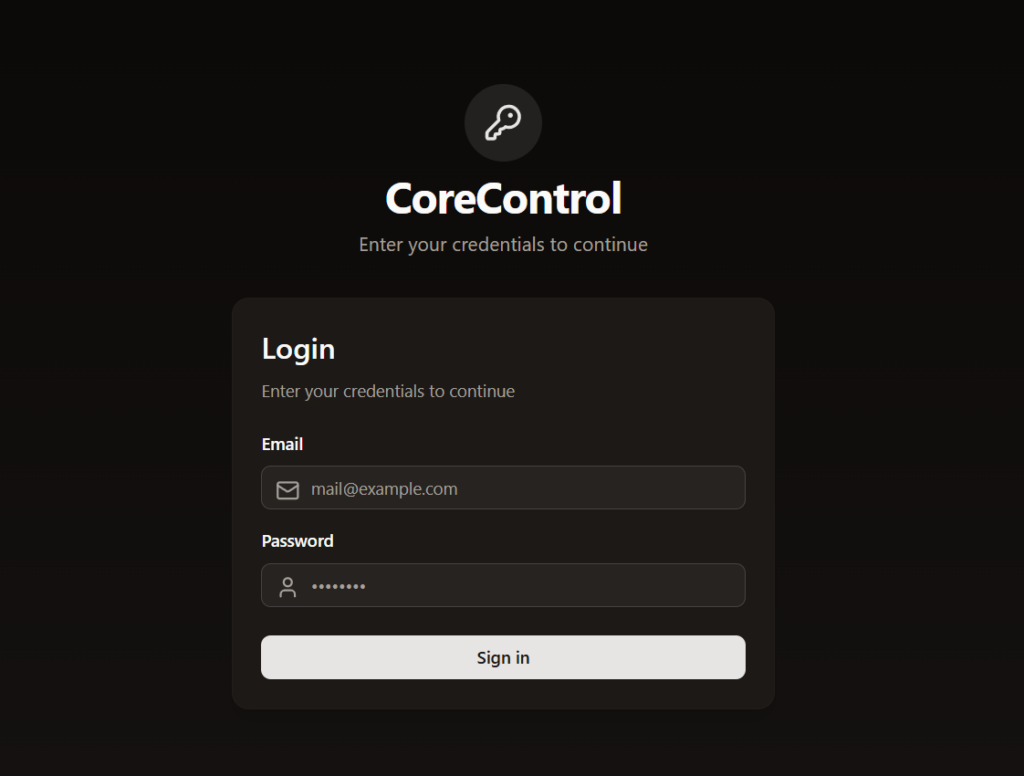
Login with:- Username:
admin@example.com - Password:
admin
- Username:
🔁 Useful Docker Commands
- Restart CoreControl:
docker restart corecontrol - Stop CoreControl:
docker stop corecontrol - Update image:
docker compose pull
docker compose up -d
Conclusion
You now know how to install CoreControl on Debian VPS.