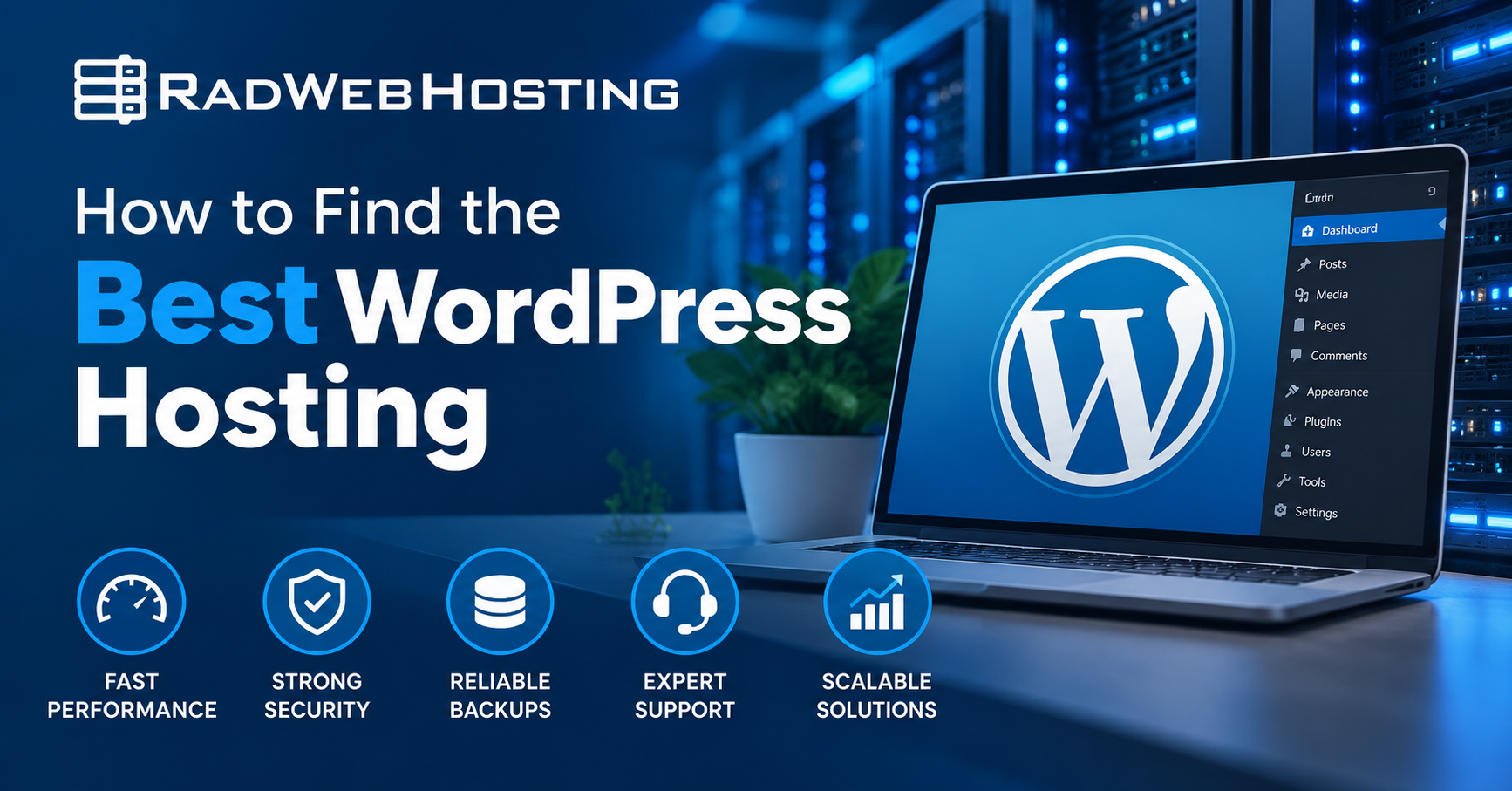
This article provides a guide demonstrating how to find the best WordPress Hosting.
Choosing the right WordPress hosting provider can have a major impact on your website’s speed, reliability, security, and ability to grow. While nearly any modern web host can technically run WordPress, the quality of the hosting environment can vary considerably.
The best WordPress hosting is not necessarily the provider with the lowest advertised price or the longest list of features. Instead, it is the hosting service that provides the right combination of performance, reliability, security, support, and scalability for your website.
Whether you are launching your first WordPress website, operating an established business site, or managing multiple client websites, the following factors can help you identify the best WordPress hosting solution for your needs.

How to Find the Best WordPress Hosting
In order to find the best WordPress Hosting, follow the steps below:
-
Start With Your Website’s Requirements
Before comparing hosting providers, consider what your WordPress website actually needs.
A small personal blog with a few hundred visitors per month has very different requirements from an online store processing hundreds of transactions every day.
Consider factors such as:
- Expected monthly visitors
- Number of WordPress websites you plan to host
- Website storage requirements
- Email hosting requirements
- WooCommerce or other resource-intensive plugins
- Expected traffic growth
- Need for staging or development environments
- Whether you require root or server-level access
Understanding these requirements helps prevent both underbuying and unnecessarily overpaying for hosting resources.
-
Look for Hosting Optimized for WordPress
WordPress runs on PHP and typically uses MySQL or MariaDB for its database. Although this makes WordPress compatible with a wide range of hosting environments, servers properly configured for WordPress can provide noticeably better performance.
A good WordPress hosting environment should offer current versions of PHP, optimized database services, HTTP/2 or HTTP/3 support where available, server-side caching options, and sufficient memory and CPU resources.
Features such as WP-CLI, PHP-FPM, OPcache, object caching, and modern web server configurations can significantly improve WordPress performance.
The server should also allow you to select supported PHP versions so your website can remain compatible with both WordPress itself and your installed plugins and themes.
-
Prioritize Fast Storage
Storage technology has a direct effect on WordPress performance.
WordPress websites frequently interact with both files and databases. Faster storage therefore improves everything from page generation to WordPress administration tasks.
See Also: 🚀 How to Deploy MongoDB on Ubuntu VPS (5 Minute Quick-Start Guide)
Look for hosting based on SSD or, preferably, NVMe storage.
NVMe storage can deliver substantially higher input/output performance than traditional hard drives and older storage technologies. This becomes especially important for dynamic WordPress websites, WooCommerce stores, membership platforms, and sites with large databases.
Fast storage will not compensate for poorly optimized WordPress code, but it provides a much stronger foundation for good website performance.
-
Examine CPU and Memory Resources
One of the most overlooked considerations when comparing WordPress hosting is how server resources are allocated.
Hosting companies frequently advertise storage space and bandwidth prominently while providing considerably less information about CPU and memory limits.
Yet WordPress depends heavily on these resources.
Plugins, scheduled tasks, database queries, PHP processes, image manipulation, backups, and administrative functions can all consume CPU and memory.
When possible, determine whether the provider publishes resource limits such as:
- CPU allocation
- Available RAM
- PHP memory limits
- Concurrent processes
- Entry processes
- Database connection limits
- I/O limits
Websites experiencing frequent resource-limit errors may need a larger shared hosting package or an upgrade to VPS hosting.
-
Evaluate Server Location and Network Quality
Physical distance between your server and your visitors can influence latency.
For example, a business primarily serving customers in the United States will generally benefit from hosting its website in a U.S. data center rather than on a server located thousands of miles away.
Server location becomes less important when a properly configured content delivery network, or CDN, is used, but the quality of the hosting provider’s network still matters.
Look for providers with reliable upstream connectivity, redundant networking, and professionally operated data center infrastructure.
A well-connected hosting environment can improve both website responsiveness and availability.
-
Check the Provider’s Uptime Commitment
A fast website is not particularly useful when the server is unavailable.
Hosting providers should maintain infrastructure designed to minimize downtime and clearly communicate their expected service availability.
Look for information about:
- Uptime guarantees
- Network redundancy
- Power redundancy
- Hardware monitoring
- Data center infrastructure
- Service-status reporting
Be cautious about interpreting an uptime guarantee as proof that downtime can never occur. Hardware failures, software problems, network incidents, and maintenance can happen with any provider.
Instead, evaluate whether the provider has systems and personnel capable of responding quickly when problems arise.
-
Make Security a Priority
WordPress is the world’s most widely used content management system, making it a frequent target for automated attacks.
See Also: 🛠 Guide to Using phpMyAdmin in cPanel
Your hosting provider should provide a secure foundation for your website.
Important security features may include:
- SSL certificate support
- Malware scanning
- Web application firewall protection
- Account isolation
- DDoS protection
- Secure file permissions
- Server monitoring
- Automatic security updates
- Login protection
- Backup systems
Free Let’s Encrypt SSL certificates have become standard among quality hosting providers and should generally be available without additional cost.
Remember that WordPress security is a shared responsibility. Even excellent hosting cannot protect an outdated website indefinitely.
WordPress core, plugins, and themes should be updated regularly, and unused extensions should be removed.
-
Investigate the Backup System
Backups are among the most important features of any WordPress hosting service.
A plugin malfunction, failed update, compromised account, accidental deletion, or database problem can quickly render a website unusable.
Determine whether your potential host provides automated backups and ask several questions:
- How frequently are backups created?
- How long are they retained?
- Are databases included?
- Can individual files be restored?
- Can customers restore backups themselves?
- Are backups stored separately from the production server?
The strongest backup strategy generally includes multiple copies stored in different locations.
Even when your hosting provider includes backups, maintaining an independent backup of important websites is advisable.
-
Look for Easy WordPress Management
Hosting should make operating WordPress easier rather than more complicated.
Many hosting providers include control panels such as cPanel that allow customers to manage websites, databases, domains, email accounts, SSL certificates, and files through a graphical interface.
WordPress-specific management tools may also provide:
- One-click WordPress installation
- Automatic updates
- Staging environments
- Site cloning
- Backup and restore controls
- Plugin and theme management
These features can save considerable time, particularly when maintaining multiple WordPress websites.
-
Consider the Quality of Technical Support
Technical support becomes particularly important when something goes wrong.
A knowledgeable hosting support team can help determine whether an issue originates from WordPress, PHP, DNS, SSL, the server, or the network.
When evaluating hosting providers, determine how support is provided.
Common channels include:
- Support tickets
- Live chat
- Telephone support
- Knowledge bases
- Documentation
Availability is also important.
Websites do not restrict problems to normal business hours, so providers offering 24/7 technical support can be especially valuable for business-critical websites.
Quality should matter more than the number of support channels. An experienced technician who understands WordPress and server infrastructure is often considerably more useful than a large support operation relying primarily on scripted responses.
-
Understand the Difference Between Shared, Managed and VPS Hosting
There is no single type of WordPress hosting that is best for every website.
See Also: Ultimate Guide to VPS Security Hardening
-
Shared WordPress Hosting
Shared hosting is usually the best starting point for blogs, small business websites, portfolios, and other moderately trafficked websites.
Multiple customers share the resources of the underlying server, making shared hosting economical and easy to manage.
-
Managed WordPress Hosting
Managed WordPress hosting adds additional WordPress-specific management and optimization.
Depending on the provider, this can include updates, backups, caching, security monitoring, staging tools, and technical assistance.
Managed hosting can be particularly attractive to businesses that prefer to focus on their websites rather than server administration.
-
WordPress VPS Hosting
A virtual private server provides dedicated allocations of resources within a virtualized server environment.
A VPS may be appropriate when your website requires greater performance, customization, resource isolation, or control than shared hosting can provide.
VPS hosting is particularly useful for:
- Busy WooCommerce stores
- Membership websites
- High-traffic blogs
- Agencies hosting multiple websites
- Resource-intensive applications
- Websites requiring custom server configurations
Managed VPS hosting can provide the performance benefits of a VPS without requiring the website owner to perform every server administration task.
-
-
Beware of Extremely Cheap Introductory Pricing
Hosting advertisements frequently emphasize introductory prices.
The price displayed prominently may apply only to the first billing period and may require paying several years in advance.
Before purchasing, check:
- Renewal pricing
- Contract length
- Setup fees
- Backup charges
- Migration fees
- SSL costs
- Domain renewal fees
- Control panel licensing
- Cancellation policies
A hosting package that appears to cost only a few dollars per month can become considerably more expensive at renewal.
Evaluate the long-term cost rather than simply choosing the lowest introductory price.
-
Make Sure the Hosting Can Grow With You
Moving a WordPress website between hosting providers is certainly possible, but selecting a provider capable of supporting future growth can reduce unnecessary migrations.
Look for a hosting company offering a logical upgrade path.
For example:
Shared Hosting → Managed WordPress Hosting → VPS Hosting → Dedicated Server
A growing website should be able to receive additional CPU, memory, storage, and bandwidth without requiring a complete change of hosting company.
This is especially important for businesses expecting increasing traffic or planning to add e-commerce, membership functionality, or additional websites.
-
Check Migration Assistance
If you already operate a WordPress website, migration support can make switching providers considerably easier.
Moving WordPress typically involves transferring:
See Also: 4 Quick Steps to Install Hestia Control Panel on Cloud VPS
- Website files
- Database contents
- Configuration files
- Domain settings
- SSL certificates
- Email accounts, when applicable
Some hosting providers provide free migrations or assisted migrations.
An experienced migration team can also reduce downtime by preparing and testing the new environment before DNS records are changed.
-
Read Reviews Carefully
Customer reviews can provide useful insight, but they should be evaluated critically.
Every large hosting provider will eventually receive negative reviews. More useful information comes from identifying patterns.
Pay attention to repeated comments concerning:
- Support responsiveness
- Server reliability
- Billing practices
- Website performance
- Account suspensions
- Migration assistance
- Long-term customer satisfaction
Independent hosting reviews and benchmarking websites can provide additional information, particularly when they publish measurable performance data rather than relying entirely on subjective opinions.
What Makes a Good WordPress Host?
The best WordPress hosting providers generally share several characteristics.
They provide modern infrastructure, fast storage, sufficient computing resources, strong network connectivity, reliable backups, security protections, knowledgeable support, and clear pricing.
The ideal hosting plan should also leave enough room for your website to grow.
A small WordPress website may operate perfectly on quality shared hosting today while eventually requiring a VPS as its traffic and functionality increase.
That is normal.
The goal is not necessarily to purchase the largest hosting package available. It is to select an environment appropriate for your current requirements while maintaining a practical upgrade path.
Choosing WordPress Hosting From Rad Web Hosting
Rad Web Hosting provides several hosting options suitable for WordPress websites, ranging from traditional web hosting and Managed WordPress hosting to SSD VPS, cPanel VPS, and dedicated server solutions.
Customers can select an environment appropriate for smaller WordPress installations while retaining the ability to upgrade as resource requirements increase.
For organizations requiring greater control or dedicated resources, VPS and dedicated hosting provide additional flexibility for custom WordPress environments.
Combined with U.S.-based infrastructure and 24/7 operations, these options allow businesses, developers, agencies, and website owners to select hosting based on their actual technical requirements rather than being restricted to a single WordPress hosting model.
Frequently Asked Questions About WordPress Hosting
What is WordPress hosting?
WordPress hosting is web hosting configured to support websites built with the WordPress content management system. Depending on the provider, WordPress hosting may include optimized PHP configurations, database tuning, caching, automatic updates, security features, backups, staging environments, and WordPress-specific management tools.
What is the best type of hosting for WordPress?
The best type of WordPress hosting depends on the size and requirements of the website. Shared hosting is often sufficient for smaller websites, while managed WordPress hosting can provide additional convenience and optimization. High-traffic websites, WooCommerce stores, agencies, and resource-intensive applications may benefit from VPS or dedicated server hosting.
See Also: 📶 How to Reduce cPanel Server Load
How much should WordPress hosting cost?
WordPress hosting prices vary considerably depending on the resources, features, management level, and infrastructure included. Basic shared hosting may cost only a few dollars per month, while managed WordPress, VPS, and dedicated hosting typically cost more. When comparing prices, consider renewal rates and included features rather than focusing only on introductory pricing.
Is shared hosting good enough for WordPress?
Yes. Quality shared hosting can work very well for blogs, small business websites, portfolios, and many other WordPress sites with moderate resource requirements. A website may need to move to a VPS or more powerful hosting environment as traffic, database activity, or application complexity increases.
Is managed WordPress hosting worth it?
Managed WordPress hosting can be worthwhile for website owners who want additional assistance with performance, updates, backups, security, or WordPress administration. It is particularly useful for businesses that would rather spend their time managing their website content and operations than managing hosting infrastructure.
Does WordPress need a VPS?
WordPress does not require a VPS. Many WordPress websites operate successfully on shared hosting. A VPS becomes useful when a website requires more CPU, memory, storage performance, customization, resource isolation, or administrative control than a shared hosting environment can provide.
How much RAM does a WordPress website need?
There is no single RAM requirement for WordPress because resource usage depends on the website's theme, plugins, traffic, database activity, caching configuration, and workload. A basic website generally requires relatively modest resources, while WooCommerce, membership sites, page builders, and high-traffic applications can require significantly more memory.
Does faster hosting make WordPress faster?
Yes, although hosting is only one component of WordPress performance. Faster processors, NVMe storage, sufficient RAM, optimized PHP configurations, efficient database services, caching, and strong network connectivity can all improve performance. Themes, plugins, image optimization, database efficiency, and caching configuration are also important.
Is NVMe hosting better for WordPress?
NVMe storage can provide faster read and write performance than traditional hard drives and many older SSD configurations. Because WordPress frequently accesses files and databases, NVMe storage can improve responsiveness, particularly on dynamic or database-intensive websites.
Does server location matter for WordPress hosting?
Server location can affect latency, particularly when visitors are geographically distant from the hosting server. Hosting a website near its primary audience can improve response times. A CDN can reduce the impact of distance by serving static website content from locations closer to visitors.
Do I need a CDN with WordPress hosting?
A CDN is not required to operate WordPress, but it can improve website performance by distributing static content across multiple geographic locations. CDNs can be especially useful for websites serving visitors across different states, countries, or continents.
What security features should WordPress hosting include?
Useful security features include SSL certificates, malware detection, account isolation, web application firewall protection, DDoS mitigation, secure server configurations, backups, monitoring, and access controls. Website owners should also keep WordPress core, themes, and plugins updated.
Should WordPress hosting include backups?
Yes. Automated backups are an important hosting feature. Ideally, backups should include both website files and databases and should be retained for a reasonable period. Maintaining an additional independent backup outside the primary hosting environment is also a good practice.
Can I move my existing WordPress website to another host?
Yes. WordPress websites can generally be migrated between compatible hosting providers. A migration usually involves transferring website files and databases, updating configuration settings, testing the new environment, and then changing DNS records. Some hosting providers offer assisted or free WordPress migrations.
What should I look for when comparing WordPress hosting companies?
When comparing WordPress hosting providers, evaluate more than the advertised storage and bandwidth. Consider CPU and memory allocations, storage technology, server performance, backup systems, security, network quality, technical support, uptime, renewal pricing, migration assistance, and the availability of upgrades as your website grows.
How do I know when my WordPress site has outgrown shared hosting?
Common signs include frequent resource-limit errors, slow administrative pages, repeated CPU or memory exhaustion, poor performance during traffic spikes, database bottlenecks, or the need for server configurations that are unavailable on shared hosting. At that point, moving to a larger hosting plan or VPS may provide additional resources and control.
Is cPanel good for WordPress hosting?
cPanel can be a convenient platform for managing WordPress hosting because it provides tools for domains, databases, email accounts, SSL certificates, files, backups, PHP configuration, and other hosting functions. Many cPanel environments also include WordPress management and installation tools.
Can WooCommerce run on shared WordPress hosting?
WooCommerce can run on shared hosting, particularly for smaller stores. However, WooCommerce typically requires more CPU, memory, database activity, and PHP processing than a basic WordPress website. Stores with substantial traffic, large product catalogs, many simultaneous customers, or complex plugins may benefit from a VPS or another higher-resource hosting environment.
See Also: How to Setup a Load-Balanced Apache Cluster (6 Step Quick-Start Guide)
What is the most important factor when choosing WordPress hosting?
There is no single factor that determines the best host. The strongest WordPress hosting choice combines sufficient resources, reliable infrastructure, good performance, effective security, dependable backups, knowledgeable support, transparent pricing, and a clear upgrade path.
Final Thoughts
Finding the best WordPress hosting ultimately comes down to balancing performance, reliability, security, support, scalability, and price.
Do not choose a provider based entirely on storage quotas or introductory pricing.
Instead, investigate the infrastructure behind the hosting service and determine whether it provides the resources and support your website requires.
For a new website, quality shared or managed WordPress hosting may provide everything you need. As traffic increases, upgrading to a VPS or dedicated environment can provide additional performance and control.
Choosing the right hosting foundation from the beginning gives WordPress the environment it needs to remain fast, secure, and reliable as your website grows.
✅ Easy Website Management with cPanel Support
Running a business is hard enough — managing your website shouldn’t be. That’s why we include full cPanel support with every hosting plan:
- ✅ Simple Dashboard – No tech skills needed. Easily manage your website, emails, and more from one place.
- ✅ Quick App Installs – Launch WordPress, shopping carts, or other tools with just one click.
- ✅ Professional Email – Create business email addresses (like you@yourbusiness.com) in minutes.
- ✅ Reliable Backups – Keep your website safe with easy-to-use backup and restore options.
- ✅ Secure & Protected – Manage your site’s security and SSL certificates with built-in tools.
- ✅ Real Help, Anytime – Our expert support team is available 24/7 for anything you need.
💬 What Our Customers Say
“I have had nothing but good experiences with Rad Web Hosting. The staff is there to help you to make sure that you stay online and I haven't had any downtime with my server in the time I have been with Rad Web Hosting and I have had my server for over two years.”
— Janice L., Owner of RJGM
🏆 Trusted by Small Business Owners Nationwide

🚀 Get Started Today
Take the stress out of website management. With cPanel support and expert help just a click away, you can focus on what matters most — growing your business.
See Also: Integrate Jitsi Meet with Moodle for Elearning Video Conferencing
Choose Your Plan Now